top of page
HOW TO GET YOUR CLAL
"END OF THE YEAR" STATMENT
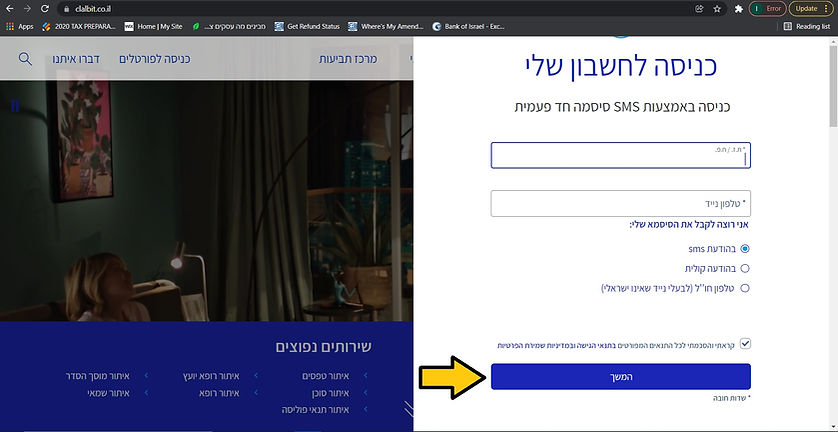
Visit clalbit.co.il/ website and click on the arrow located above: "כניסה לחשבון שלי"

Enter your Israeli I.D number and phone number, choose rather you want to receive the code as an SMS or a voice message. Then click on "המשך".
Enter the code you received and click on "כניסה לחשבון".

Click on "דוחות".

Choose the policy, the type of statements and the year. Then click on "חפש".


bottom of page